Save Distance Matrix
Saves a distance matrix.
Inputs
- Distances: distance matrix
 {width=200px}
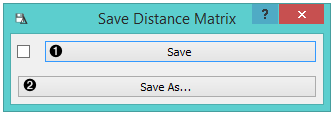
- By selecting Autosave when receiving new data, all incoming changes will be saved automatically, thus overwriting the selected file.
- By clicking Save, the input distance matrix will be saved as an .xlsx or .dst file. The standard save dialogue will open the first time you click the button. By clicking Save as, the save dialogue will re-open, enabling you to save the file under a new name.
Load the saved matrix with the Distance File widget.
Example
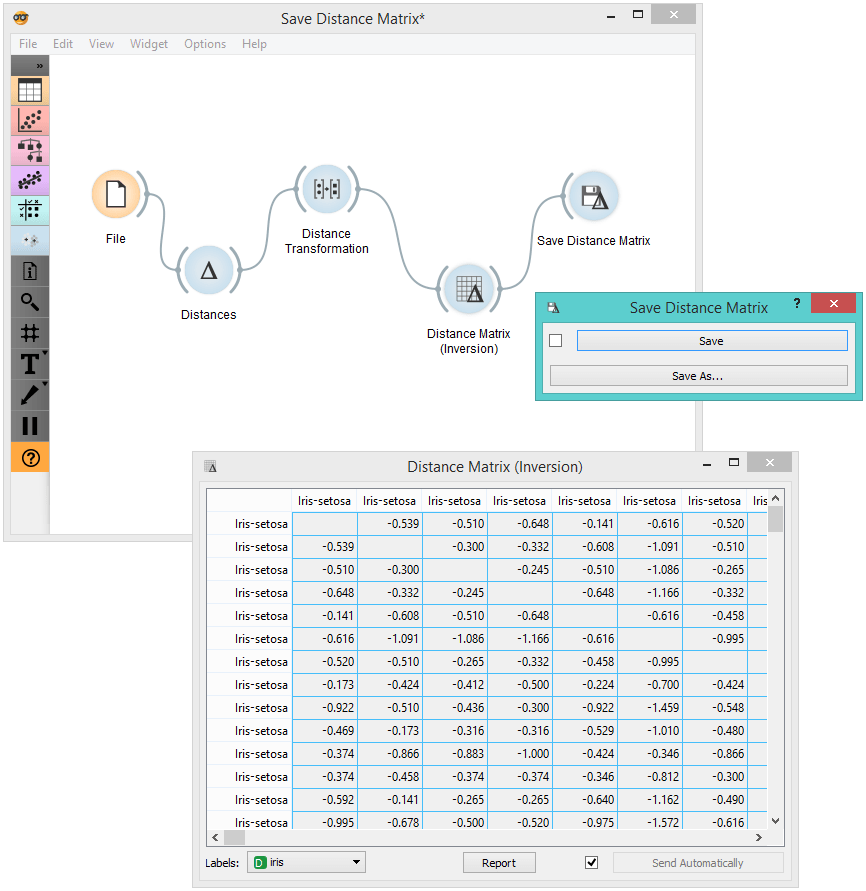
In the snapshot below, we used computed distance matrix on the iris data using the Distances widget. Then, we used the Distance Transformation widget to transform the distances to the [0, 1] interval. We then chose to save the transformed version to our computer, so we could use it later on. We can observe the transformed matrix in a Distance Matrix.